Lollipop plot

A lollipop chart is an alternative to the more usual barplot. Python allows to build lollipops thanks to the matplotlib library, as shown in the examples below. The strategy here is to use the stem() function or to hack the vline() function depending on your input format.
⏱ Quick start
A lollipop plot displays each element of a dataset as a segment and a circle.
This is doable with python and Matplotlib thanks to the stem() function that accepts a data frame as input.🔥
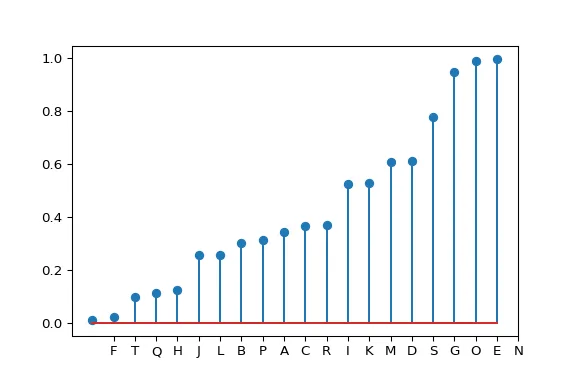
# Create a dataframe
import pandas as pd
df = pd.DataFrame({'group':list(map(chr, range(65, 85))), 'values':np.random.uniform(size=20) })

# Reorder it following the values:
ordered_df = df.sort_values(by='values')
my_range=range(1,len(df.index)+1)

# Make the plot
plt.stem(ordered_df['values'])
plt.xticks( my_range, ordered_df['group']) Lollipop plot with
 Matplotlib
Matplotlib is probably the most famous and flexible python library for data visualization. It is appropriate to build any kind of chart, including the lollipop plot thanks to its stem() function.
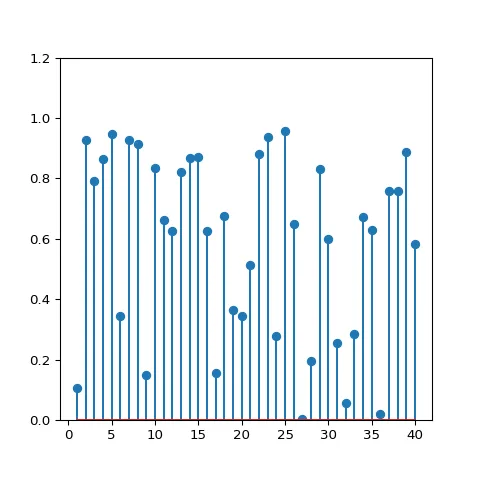
Most basic lollipop. Will get you started with any kind of input format
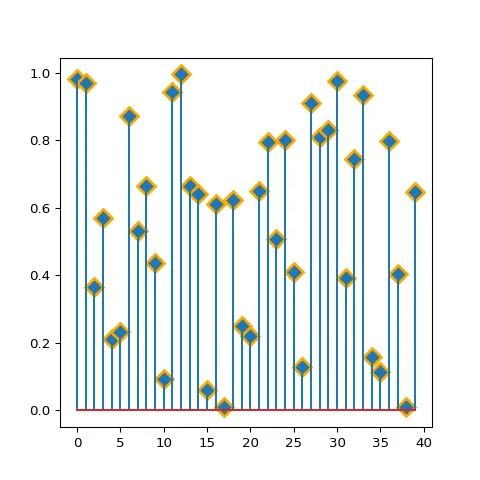
Basic circle customizations: shape, size, color and more.
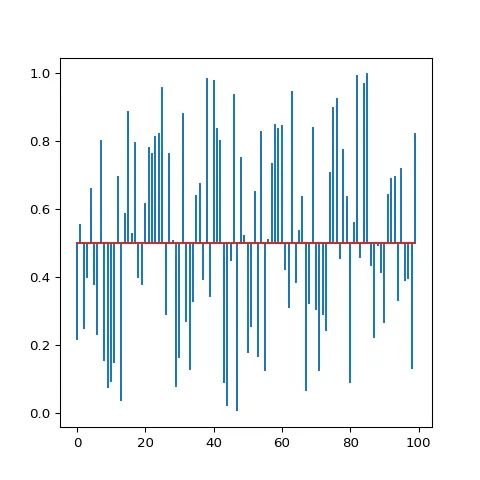
Change lollipop baseline position.
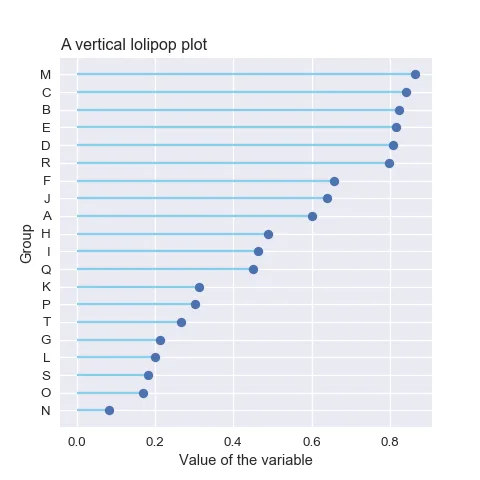
Horizontal lollipop chart (more readable labels).
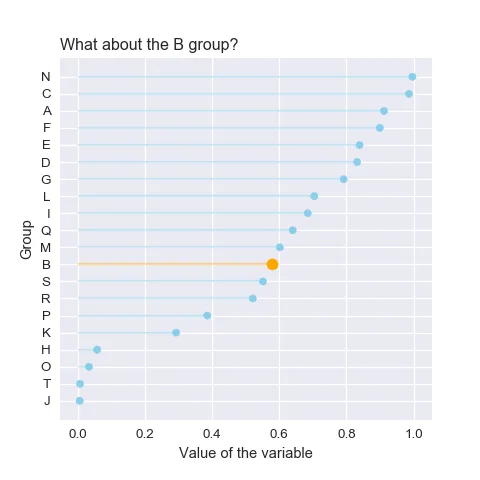
Highlight some specific groups in a lollipop.
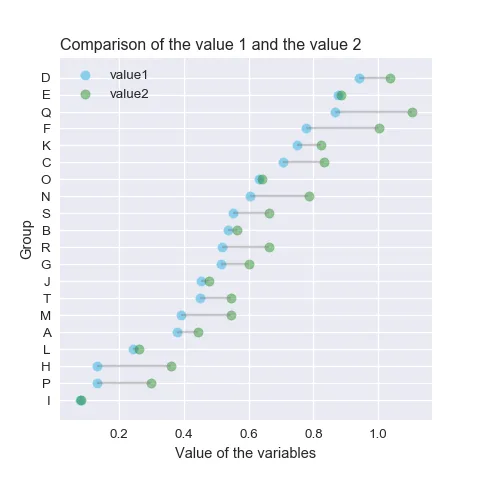
Cleveland chart: a lollipop chart with 2 subgroups displayed under each row.
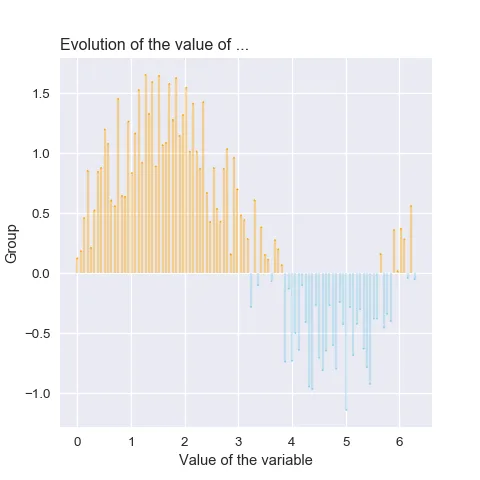
Lollipop chart with conditional colors.
Best python lollipop plot examples
The web is full of astonishing charts made by awesome bloggers, (often using R). The Python graph gallery tries to display (or translate from R) some of the best creations and explain how their source code works. If you want to display your work here, please drop me a word or even better, submit a Pull Request!
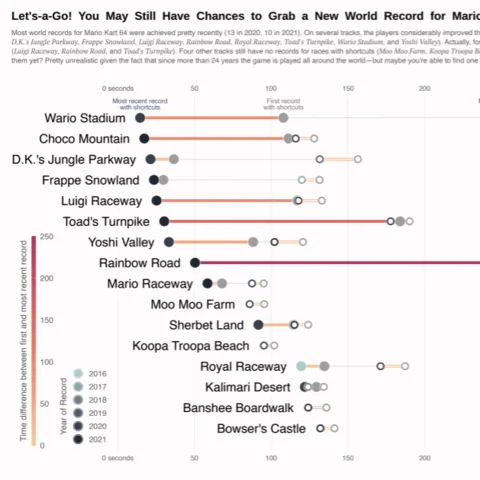
A highly customized lollipop chart made with Python and Matplotlib. A work by Cédric Scherer to visualize some Mario Kart World records.
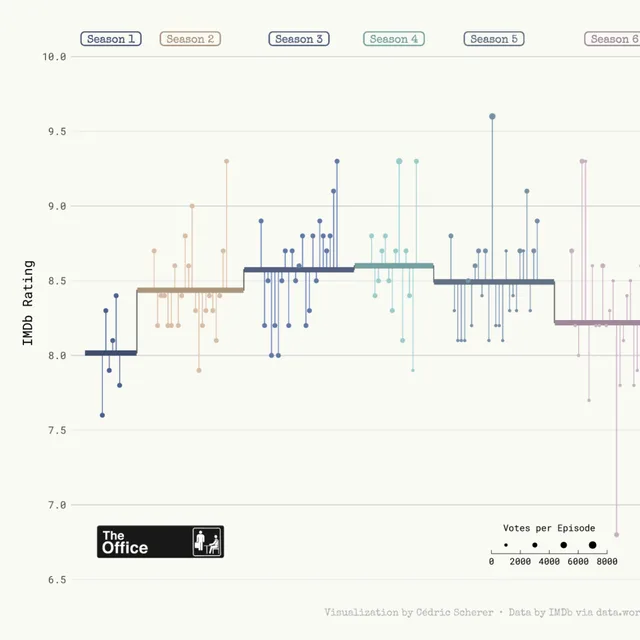
A highly customized lollipop chart made with Python and Matplotlib to display a timeseries.
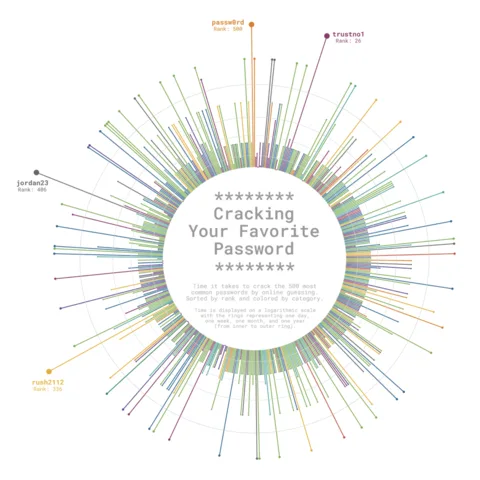
A circular lollipop plot with customized layout, great color palette and in circle legend.
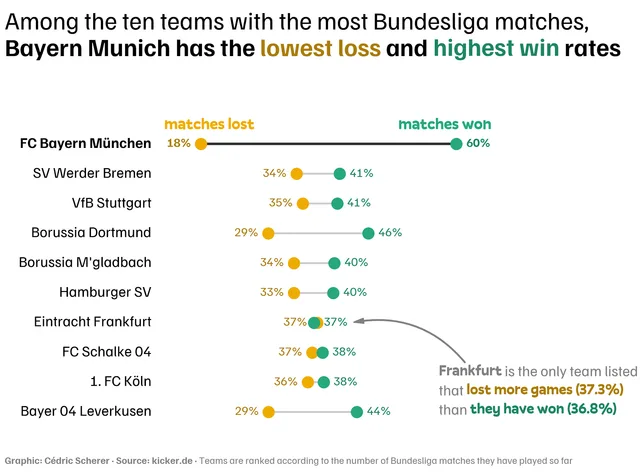
Advanced lollipop chart with a dumbell style.
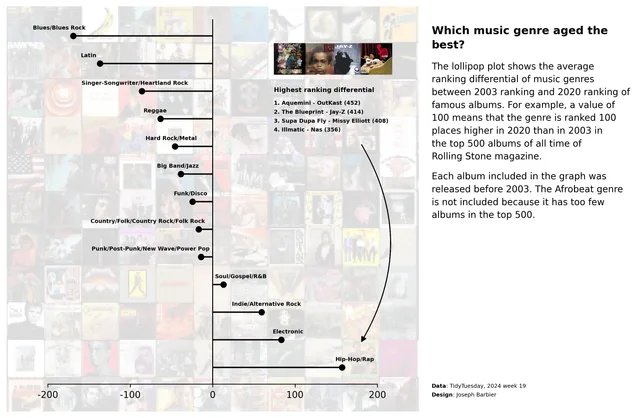
Lollipop chart with a background image.
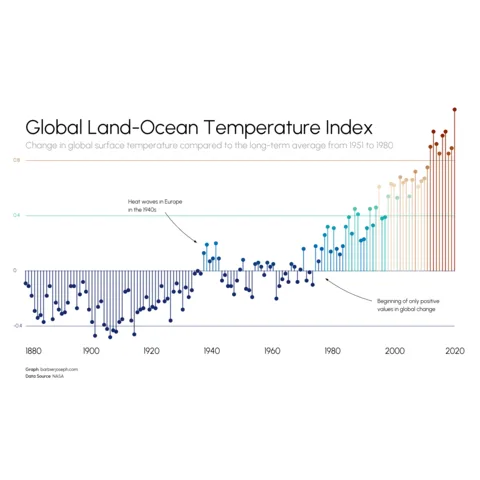
Horizontal lollipop chart with nice annotations.
Related chart types





💡 Out of dataviz inspiration?
I have spent years collecting the most beautiful data visualizations out there. Get the list of my top 300 dataviz projects, hand-picked, for free.
I respect your privacy. Unsubscribe anytime.