Libraries
First, you need to install the following librairies:
- seaborn is used for creating the chart
- matplotlib is used for customization
# libraries
import seaborn as sns
import matplotlib.pyplot as plt

plt.rcParams['figure.dpi'] = 300Dataset
The dataset we will use is the tips dataset, which we can easily download with seaborn:
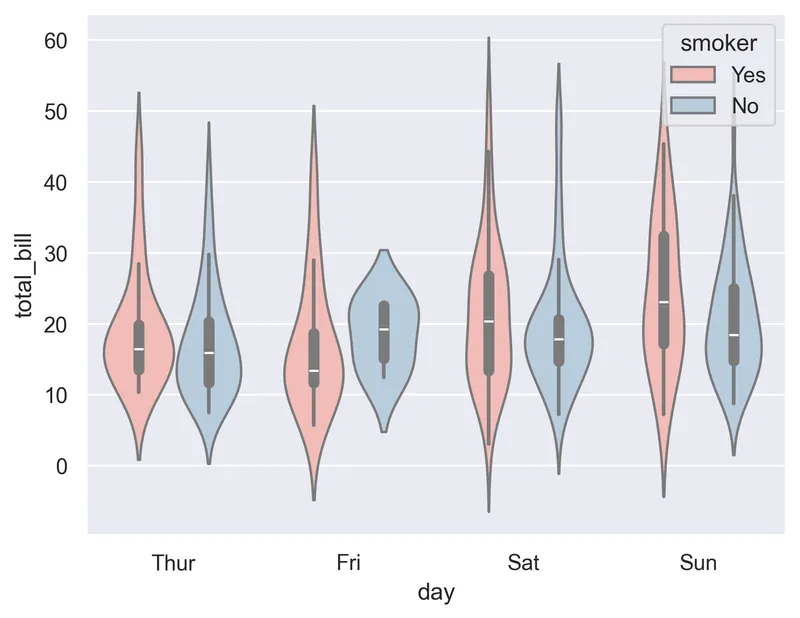
In this dataset each row is a tip. For each tip we know the amount of the bill (total_bill) and several information like the day of the week (day) and if the customer was a smoker or not (smoker)
df = sns.load_dataset('tips')Grouped violin plot
In order to create a violin plot with seaborn, we need to add to the hue argument the name of the categorical variable that will separate our subgroups.
sns.set_theme(style="darkgrid")

# Grouped violinplot
sns.violinplot(x="day", y="total_bill", hue="smoker", data=df, palette="Pastel1")
plt.show()Inverting categorical variables
A potentially relevant thing to do is to invert the categorical variable on the x-axis and the one in the hue argument. The output graph will be quite different, and may make it easier to understand the distribution of the underlying variables.
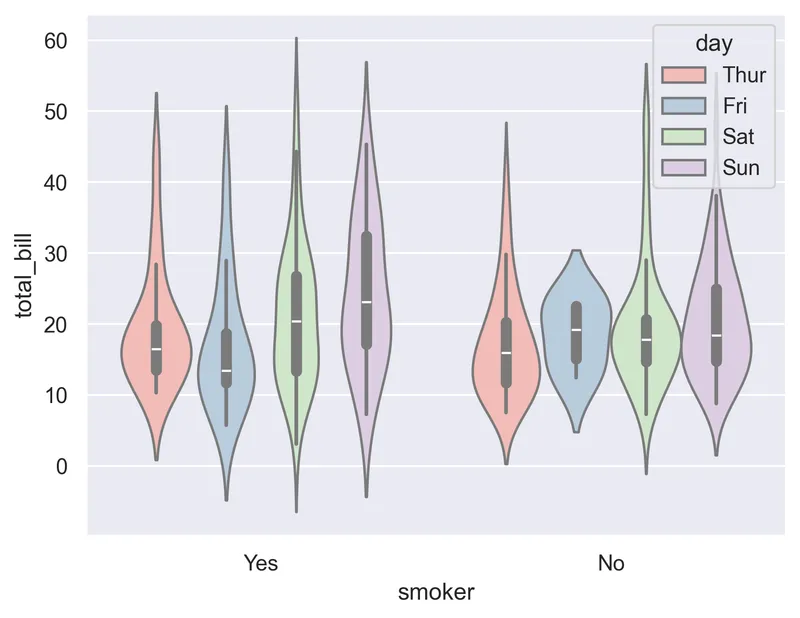
sns.set_theme(style="darkgrid")

# Grouped violinplot
sns.violinplot(x="smoker", y="total_bill", hue="day", data=df, palette="Pastel1")
plt.show()The split parameter
When using a hue variable, this determines whether the violins for different hue levels should be plotted on opposite sides of the main categorical axis.
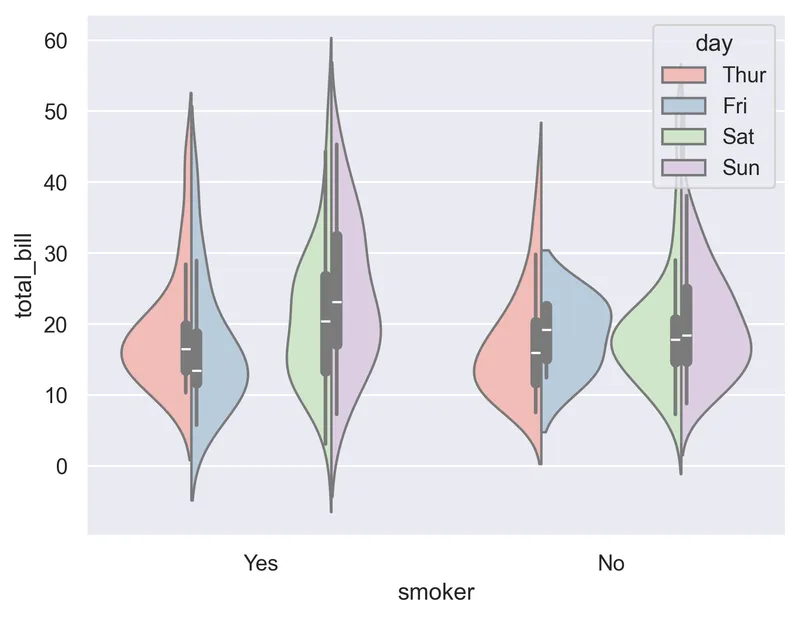
# Grouped violinplot
sns.violinplot(x="smoker", y="total_bill", hue="day", data=df, palette="Pastel1", split=True)
plt.show()Going further
This post explains how to create a grouped violin plot with seaborn.
For more examples of how to create or customize your violin plots, check the violin plot section. You may also be interested in how to customize a violin plot.