Libraries
First, you need to install the following librairies:
- seaborn is used for creating the chart
- matplotlib is used for customization
import seaborn as sns
import matplotlib.pyplot as pltDataset
The dataset we will use is the iris dataset, which we can easily download with seaborn:
df = sns.load_dataset('iris')Violin plot
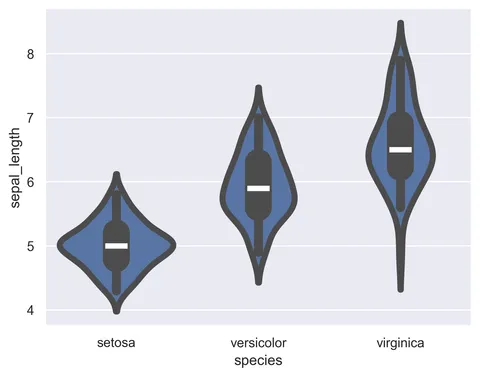
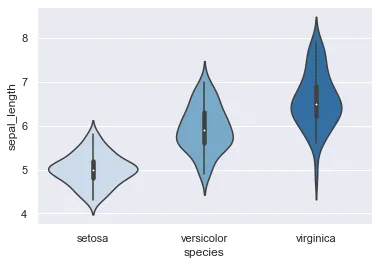
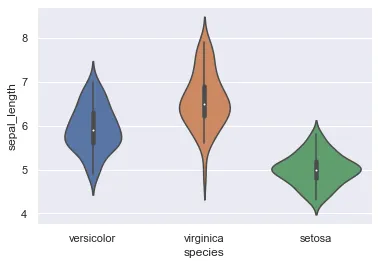
Fortunately, it's a very light syntax to create a violin plot with seaborn thanks to the violinplot() function:
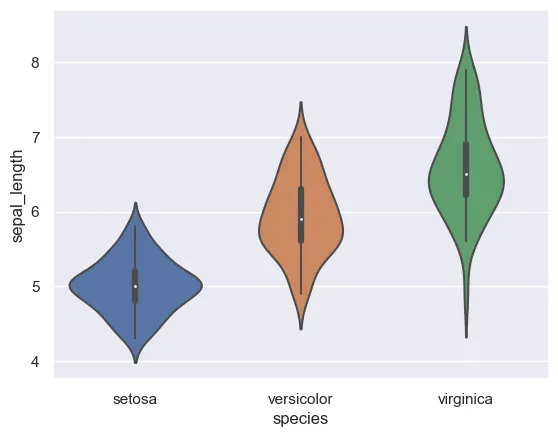
sns.set_theme(style="darkgrid")

# Just switch x and y
sns.violinplot(x=df["species"], y=df["sepal_length"])
plt.show()Flipped violin plot
Flipping this graph is actually quite simple, as all you have to do is exchange the arguments x and y.
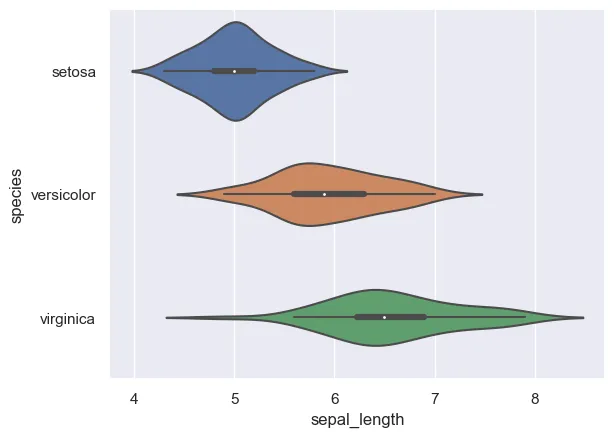
sns.set_theme(style="darkgrid")

# Just switch x and y
sns.violinplot(y=df["species"], x=df["sepal_length"])
plt.show()Going further
This post explains how to create a horizontal violin plot with seaborn.
For more examples of how to create or customize your violin plots, check the violin plot section. You may also be interested in how to customize a violin plot.